Here are Some Memes and Tweets to Look at While You Pretend to Work

I spend most to all of my time online staring at memes. I dream in memes. My wife is a meme.

Since you clicked on this article, I assume you’re the same. It’s ok. There’s no shame here. Have a dose of the good stuff.

11. Let’s get moderate in here

10. Build out, not up

9. We all have layers

8. “I’ll be in my womb.”

7. PHENOMENAL COSMIC POWERS

6. Don’t start nuthin’, won’t be nuthin’

5. I just need a few years to myself

4. Life is regret

3. Take victories where you can get them

2. Hello, fellow human

1. I call this phenomenon “Rumgret”

What’s your favorite fountain o’memes? What source do you love to go for the freshest lols?

Let me know about ’em in the comments. We want to swim in the waters of their comedy FOREVER!

The post Here are Some Memes and Tweets to Look at While You Pretend to Work appeared first on UberFacts.

A Collection of the Best 1990s Memes

Growing up in the 1990s didn’t make us special. I’m not mad at these “damn kids today” because they don’t know what dial-up is. I’m thrilled for them. It was horrible. Nobody deserves that.

Nevertheless, it hits some sweet, sweet spot in the brain to let memes transport us back to a time in our history that seems to have been curated entirely by that orange Nickelodeon blob guy.

I wonder what he’s up to. I hope he’s found work. Let’s reminisce with some 90’s memes in his honor.

15. I didn’t even have cable, so even this felt like luxury

14. Nobody ever bought these, they just sort of appeared

13. Seeing this meme is how I learned there’s a Rugrats reboot coming

12. The higher the hair the closer to God

11. This was broken 10 minutes in

10. Back when things were “on” at a “certain time”

9. Give your little brother the bad controller

8. I had two sisters and these were scattered everywhere

7. My heart literally just skipped a beat

6. Then DVDs came along and you’d end up returning them because “they had the black bars”

5. I mean, the world was slightly less on fire

4. It’s impossible to explain now why we thought these would be valuable

3. I STILL DON’T KNOW

2. Bottom right still gives me anxiety

1. Who could forget “tent pants”

Well, realizing how long ago all of this happened makes me think I should probably go join AARP.

While I’m gone, tell me in the comments what your favorite distinctly 90’s thing was.

The post A Collection of the Best 1990s Memes appeared first on UberFacts.

Memes About Life in the 1990s and Why Kids Will Never Know the Struggle

I try not to go off on my “you damn kids don’t know how good you’ve got it!” rants too often. After all, it’s not like us American 90’s kids grew up traversing a dessert to get well water or something. It’s not like we were all dying of dysentery in our ox-drawn carriages (though we did love to pretend we were, for some reason.)

Still. The rate at which technology has moved in the last few decades does mess with my mind enough that I can’t help but occasionally shake my head at how different everything is.

Let’s reflect on this with some memes.

15. Circle “yes,” “no,” or “maybe”

14. WELL IS SHE?!

13. It’s amazing I never wrecked my car flipping through this

12. This was my retirement plan

11. There’s a lot going on here

10. As long as nobody finds my diary

9. This sentence would be gibberish now

8. Our coming of age was a little…slower

7. And then you’d immediately lose this

6. We didn’t understand minesweeper, but we played it, dammit

5. Beware the dreaded double exposure!

4. Brought to you by limewire.exe

3. This is the only true art

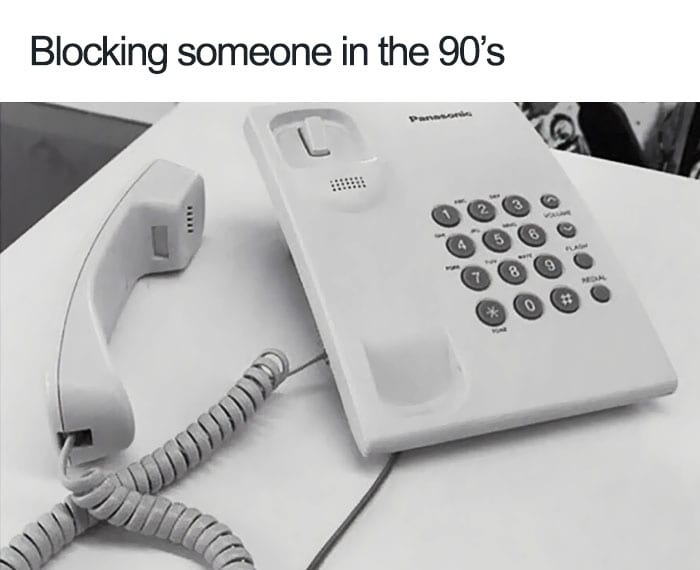
2. There are so many more ways to ignore people now

1. Honestly, a better investment

Alright, now get off my lawn.

What was the hardest part about 90’s life for you?

Let us know in the comments.

The post Memes About Life in the 1990s and Why Kids Will Never Know the Struggle appeared first on UberFacts.

People Share the Best Wi-Fi Network Names They’ve Ever Seen

A great Wi-Fi network name is like a fine wine…it gets better with age. Sometimes, when I’m bored, I’ll just scroll through the neighborhood Wi-Fi names to see what the people who live around me are up to.

Do you encounter funny Wi-Fi names out there in your daily life?

AskReddit users share the funniest Wi-Fi network names they’ve ever seen.

1. I bet a lot of folks fell for that one.

“Hotspot named “I got you” with no password.”

2. That’s how you do it.

“Rebellious Amish Family

Lol after 8 years my highest voted comment is my Wi-Fi name. Which i stole from Reddit the last time this thread was made.

This is the way.”

3. Sounds suspicious to me.

“My guest network is named “Very Free WiFi No Viruses”.”

4. I feel sorry for the person in 47.

“Mine is named “Apt47ShowerCam”. I’m in apartment 46.”

5. Hahaha. That’s good.

“I was at Disneyland resort with my family, and when we were in the parking lot, I looked at the WiFi names and one of them said “34 dollars 4 a f**king waffle”.”

6. Sad, but true.

“Was in a McDonald’s and there was the normal McDonald’s WiFi and then there was one that said “McDonald’s makes you fat bitch”.”

7. Susan…we need to talk.

“We can’t keep doing this Susan.”

8. Wholesome and punny.

“The Promised LAN.”

9. Throwing a wrench in the system.

“Ours is called “No Internet Access” and “5G Network Unavailable”. I confuse myself with it every now and then.”

10. Run for it, Marty!

“Marty McWiFi is one I’ve seen in my neighborhood.”

11. I shouldn’t laugh…but…

“Holy mother of hell.

My grandmother didn’t have wifi and just bought a Iphone (she’s about 72) so, me being the good child I am,I helped her set her wifi up,I asked her simply ‘What would you like your password to be?’ She replied with this….’I’m going to die soon 123’

To this day when I go over,I can still see it on the refrigerator ‘Wifi password;I’m going to die soon 123’.”

12. There’s room for a guest.

“Our neighbor has one that’s “Stay-Off-Asshole.” Which, y’know, sure. But they also have a second, unsecured one: “Stay-Off-Asshole (guest).” I still laugh when I see that.”

13. That’s kind of disturbing.

“2Girls1Router.

My neighbours have this… They’re mother and daughter ?.”

14. Pretty clever.

“Drop it like it’s hotspot.”

15. Let’s end on a high note.

“I BELIEVE WI CAN FI.”

I think it’s about time I rename my Wi-Fi network…now I just feel like a loser.

What do you think? Do you have a funny Wi-Fi name or do you just go with the one the company gives you?

Let us know in the comments! Let’s compare Wi-Fi names!

The post People Share the Best Wi-Fi Network Names They’ve Ever Seen appeared first on UberFacts.

This Is How You Can Figure out If Someone Is Stealing Your WiFi

Stealing other people’s WiFi seems to be a common phenomenon. Anything to save money, right? But this sneaky practice causes WiFi speed to slow down considerably, and it’s not sustainable in the long run for anyone involved.

If you suspect that someone may be stealing your precious WiFi, there are a few ways to figure out whether that’s true, Lifehacker reports.

First, you can check the indicator lights on your wireless router. These lights show whether any wireless activity is happening on nearby devices. Shut down all of your own wireless devices — phone, laptop, TV, everything that can connect to the internet — and then see if the light is still blinking. If so, that means there’s another device on the network that’s not yours.

Photo Credit: iStock

Second, you can log into the router’s administrative console to see a list of devices on the network. To get into the console, enter your router’s IP address in a web browser window. Then log in — your router’s login information is usually included on its paperwork somewhere. Once you’re in, you’ll see a section called something like Connected Devices, Device Manager, or My Network. This will show you a list of IP addresses, MAC addresses and device names, which you can review to see if there’s anything that doesn’t belong to you.

Last, to take things to the next level, you can use an app that detects whether your WiFi is being leeched, such as MoocherHunter. This will actually tell you the physical location of the WiFi thief!

Photo Credit: iStock

After you figure out what’s going on, it’s important to beef up your WiFi security so that the thief can’t get online anymore.

Good luck, bounty hunter!

The post This Is How You Can Figure out If Someone Is Stealing Your WiFi appeared first on UberFacts.

Here’s How You Can Get WiFi to Every Part of Your House, Even the ‘Dead Zones’

Even if you pay for WiFi, you may not be able to access the internet from all corners of your home, thanks to those dreaded “dead zones.”

Dead zones are areas of a building that don’t receive a WiFi signal. This can be due to a number of reasons, such as physical barriers.

If you’re tired of suddenly losing your connection when you go into a certain room, try one of these handy solutions, courtesy of Popular Science.

Photo Credit: iStock

One thing to keep in mind is that your router should be somewhere toward the center of your home. It should also be as close as possible to the devices that will need it. This may seem obvious, but sometimes, a simple relocation of your router can do the trick.

When you’re choosing a new location, note that WiFi signals have trouble crossing concrete and brick walls. Certain devices can also have an effect on the signal, including microwaves, baby monitors, large fish tanks and Christmas tree lights.

And if you feel limited to putting your router in one spot due to the location of the internet feed, you can always buy a longer connecting cable so that your router can reach the wall from further away.

Photo Credit: iStock

You may also want to simply switch out your router for a better, stronger one.

Some companies, such as Google, even offer routers that come with multiple devices automatically, instead of just one. Check out Google Wifi.

You can also try a device to extend the range of your WiFi, such as a WiFi extender, WiFi repeater, WiFi booster, or range extender.

The most effective device for extending the signal, though, is a powerline adapter. This device uses your home’s electrical wiring to transmit WiFi signals to any room in the house. All you need is an outlet that will fit an adapter! This solution can be pricey, but it works well for high speeds. If speed isn’t an issue, WiFi repeaters also work for a cheaper price.

Photo Credit: iStock

Lastly, you may want to go old school by using a wired connection instead of just WiFi. Hook up the dead zones with wired connections of their own by simply running a long Ethernet cable from the router into the room (you may need some pins to hold the cable in place). Then set up a second router or a wireless access point on the other end.

The post Here’s How You Can Get WiFi to Every Part of Your House, Even the ‘Dead Zones’ appeared first on UberFacts.

Here’s How You Can Get WiFi to Every Part of Your House, Even the ‘Dead Zones’

Even if you pay for WiFi, you may not be able to access the internet from all corners of your home, thanks to those dreaded “dead zones.”

Dead zones are areas of a building that don’t receive a WiFi signal. This can be due to a number of reasons, such as physical barriers.

If you’re tired of suddenly losing your connection when you go into a certain room, try one of these handy solutions, courtesy of Popular Science.

Photo Credit: iStock

One thing to keep in mind is that your router should be somewhere toward the center of your home. It should also be as close as possible to the devices that will need it. This may seem obvious, but sometimes, a simple relocation of your router can do the trick.

When you’re choosing a new location, note that WiFi signals have trouble crossing concrete and brick walls. Certain devices can also have an effect on the signal, including microwaves, baby monitors, large fish tanks and Christmas tree lights.

And if you feel limited to putting your router in one spot due to the location of the internet feed, you can always buy a longer connecting cable so that your router can reach the wall from further away.

Photo Credit: iStock

You may also want to simply switch out your router for a better, stronger one.

Some companies, such as Google, even offer routers that come with multiple devices automatically, instead of just one. Check out Google Wifi.

You can also try a device to extend the range of your WiFi, such as a WiFi extender, WiFi repeater, WiFi booster, or range extender.

The most effective device for extending the signal, though, is a powerline adapter. This device uses your home’s electrical wiring to transmit WiFi signals to any room in the house. All you need is an outlet that will fit an adapter! This solution can be pricey, but it works well for high speeds. If speed isn’t an issue, WiFi repeaters also work for a cheaper price.

Photo Credit: iStock

Lastly, you may want to go old school by using a wired connection instead of just WiFi. Hook up the dead zones with wired connections of their own by simply running a long Ethernet cable from the router into the room (you may need some pins to hold the cable in place). Then set up a second router or a wireless access point on the other end.

The post Here’s How You Can Get WiFi to Every Part of Your House, Even the ‘Dead Zones’ appeared first on UberFacts.

The first person to stream…

The first person to stream their life on the internet was Jennifer Ringley aka Jennicam, a 19 year old woman who from 1996, broadcasted her life from her college dorm room 24/7. At its peak, she got 7 million hits per day, a significant proportion of the internet at the time.